
Printer Models for Your Sublimation Workflow
Compare the Epson printer models listed in the catalog and confirm the exact supplied configuration before choosing a sublimation setup. Printers produce the transfer image; heat presses apply it to compatible materials.
Showing all 4 results
-
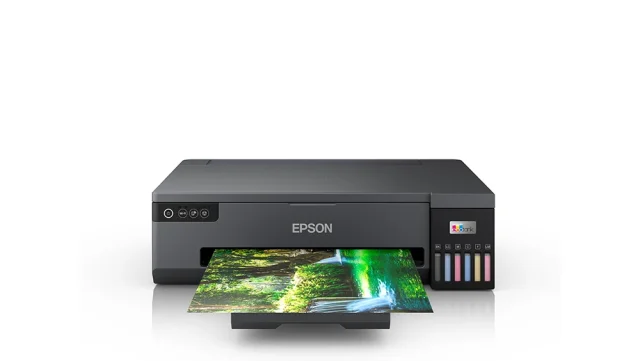 L18050 range
Epson L18050 Photo Printer — Supplied Setup on Request
Price on request- Operation
- Automatic
- Available options
- Discuss your requirements
-
 530 range
Epson F-530
Price on request- Operation
- Automatic
- Available options
- Discuss your requirements
-
 F6430 range
Epson F6430
Price on request- Operation
- Automatic
- Available options
- Discuss your requirements
-
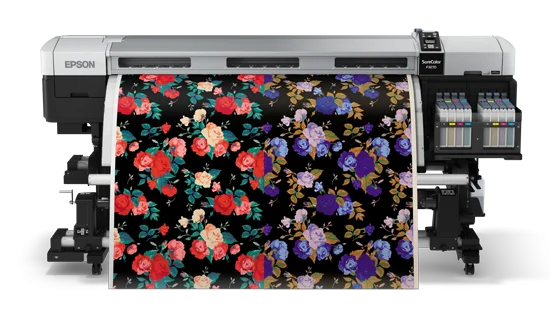 F9270 range
Epson F9270
Price on request- Operation
- Automatic
- Available options
- Discuss your requirements
Confirm model identity and supplied ink.
The catalog lists L18050, F-530, F6430 and F9270. Confirm model spelling, current availability, compatible ink and media, and the configuration included in the quotation. Unverified print widths are not presented as confirmed specifications.
The L18050 needs a configuration check.
Epson identifies the L18050 as a photo printer. Ask whether the supplied unit is a standard photo-printing configuration or a converted setup, and confirm ink compatibility, support and warranty terms. It is not described here as an Epson factory-built sublimation printer.
Match the printer and press workflow.
Compare transfer dimensions, media and the intended application with the heat press or lanyard press you plan to use. Printer and press selection should follow the same material workflow rather than treating either machine as a complete production line.
Explore the related equipment.
Compare T-shirt printing workflows or use the machine buying guide.
Plan the production workflow
Explore the printing applications guide → to connect the press, printing process, materials and finishing stages.