
Find the right machine for what you make.
Start with what you make, the full print area and your production workflow. Then compare machine formats and confirm the complete setup with our team.
What will you print?
Choose the closest application to see the relevant machine ranges.
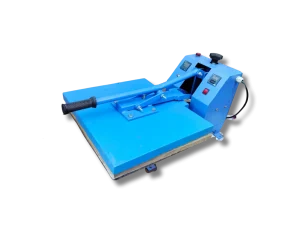
T-shirts & small transfers
Choose a flat heat press around the complete transfer size. Compare the working area and manual or automatic operation.
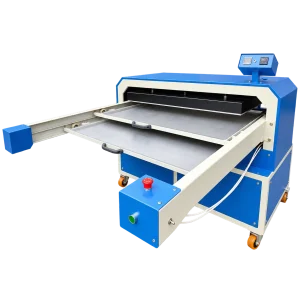
Jersey panels & large prints
Explore large-format presses for full panels. Compare platen dimensions, loading space and single-bed, double-tray or sliding layouts.
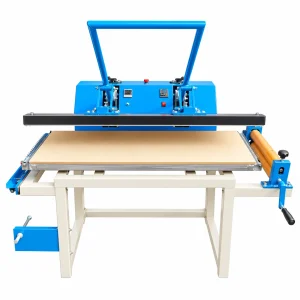
Lanyards & straps
Start with a lanyard press, then plan compatible printing, paper, lanyard material and finishing equipment for the complete workflow.
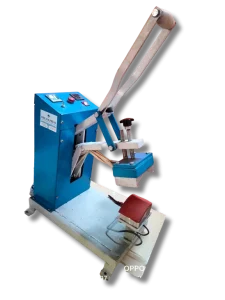
Caps & headwear
A dedicated cap press uses a different working shape from a flat press. Confirm the cap profile, supplied platen and transfer compatibility.

Logos & small labels
Match the transfer dimensions to the supplied platen. Check placement access and compatibility with the garment or label you intend to press.
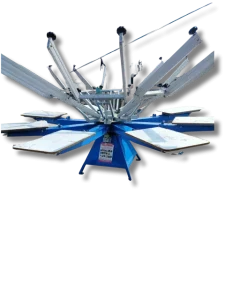
Screen-printed garments
Compare colour and station configurations. Discuss screens, inks, handling space and a suitable curing process before choosing equipment.
Compare the working format.
A model name alone does not establish output speed or finished-print quality. Compare specifications and request a demonstration for your application.
| Format | Why compare it? | What to confirm |
|---|---|---|
| Manual operation | Compare how the operator loads, closes and releases the press. | Handling effort, working height and a demonstration with your intended product. |
| Automatic operation | Compare the operating cycle and how loading and unloading fit your workflow. | Electrical supply, any compressed-air requirement, controls and operator access. |
| Single bed / platen | Check how one working surface accommodates the complete transfer. | Usable print area, loading clearance and room around the machine. |
| Double tray / bed | Compare the loading arrangement and access to both working positions. | Tray travel, total operating footprint and how the machine changes positions. |
| Sliding layout | Check how the moving platen or tray changes loading access. | Clearance at full extension, safe access and usable platen size. |
Before you order, confirm these four things.
Your product & print area
Share the material, finished product, full transfer dimensions and intended workflow. Ask whether a sample test is needed before choosing the supplied configuration.
Power, air & working space
Confirm rated power, supply requirements and any compressor needs. Measure access doors, floor space and clearance for trays, loading and maintenance.
The complete equipment list
Check what is included: platens, controls, accessories and installation. Confirm compatible printer, inks, paper, screens or finishing tools where your process needs them.
The final commercial terms
Request the current selling price, taxes, freight, installation, training, warranty and support terms. Confirm availability and delivery arrangements in the quotation.
Common buying questions.
Does a heat press print the image?
A heat press applies heat and pressure. A compatible printer or another transfer-making process creates the image. Match the complete process to your material before buying equipment.
Which platen size should I choose?
Measure the complete design or panel, rather than just one element of the artwork. Compare the listed working dimensions and confirm usable area with the team. Do not assume different press sizes are interchangeable.
Can I buy every machine online?
Most machines are available by enquiry so the model and setup can be confirmed first. Where online purchasing is enabled, buying controls appear alongside the enquiry options. If buying controls are not shown, request a quote for your selected configuration.
Planning a full garment-printing workflow? Read the T-shirt printing setup guide →